SPDRBT
Specialized Public Data Relay - Broadcast Terminal
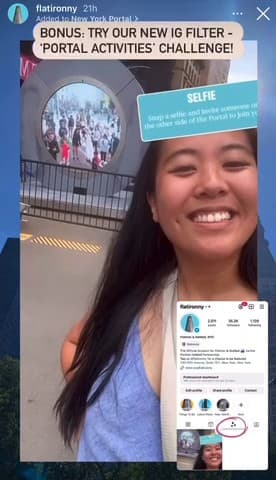
An Instagram filter that became a network of 3D-printed spider magnets around NYC and an open-source city terminal: scan the QR for a WebAR mask, tap the NFC for live data.2,400+ scans across 270+ cities in 19+ countries.
spdrbt.comI 3D print spider magnets and leave them on poles around New York. Scan the QR and an AR mask opens in your browser. Tap the NFC chip and you get a live city data terminal you can talk to.
Where It Started

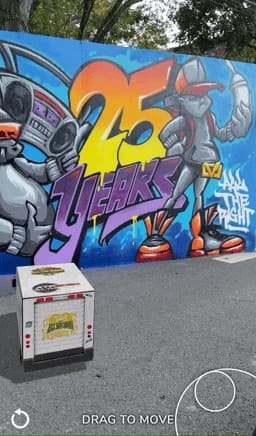
Which Spidey Are You?
A Spider-Man mask randomizer built in SparkAR for Instagram: tap and a different suit lands on your face. This one filter grew into the magnets, the NFC chips and the terminal.
The User Journey
We Ask a Lot
Most people will never find a SPDR-BT. They are small printed spiders stuck to random surfaces with no sign, no instructions and no context. Then we ask the finder to do a lot, unprompted.
2,400+ Organic Scans
650+ people have completed the whole journey with no prompting and no marketing: 2,400+ scans between them. Most came back. The average finder scans 3.7 times, usually to show a friend.
The raw log records more. I subtract the ~250 units I handed to someone directly and filter out datacenter cities, where every "user" visits once and never returns.
Notice
A small 3D object on a subway pole, a lamp post, a bodega fridge. Most people walk past. This person stops.
Reach
It has depth and texture, so they touch it and feel the magnet holding it on.
Remove
They pull it off. A spider logo on the front. They flip it over.
Read
A QR code and one line: "Scan to uncover your Spider Identity." No branding, no explanation.
Scan
They scan an unknown code on a random object from the street. That is a real trust leap.
Choose
A start screen first: "SPDR-BT FOUND", with a clear choice to activate the mask or decline.
Allow
They grant camera access. Face tracking starts and a 3D mask renders on their face.
Become
The roulette lands on their Spider Identity. Photo, video, the web-shooting gesture, and a tap to broadcast to the gallery.
8 Unprompted Steps. 650+ Strangers. 2,400+ Scans.
No tutorial, no incentive. Every finder completed eight steps nobody asked them to take, then scanned again, 3.7 times each on average. People want to be Spider-Man.
The Broadcast Terminal
Open-Source OSINT for New York City
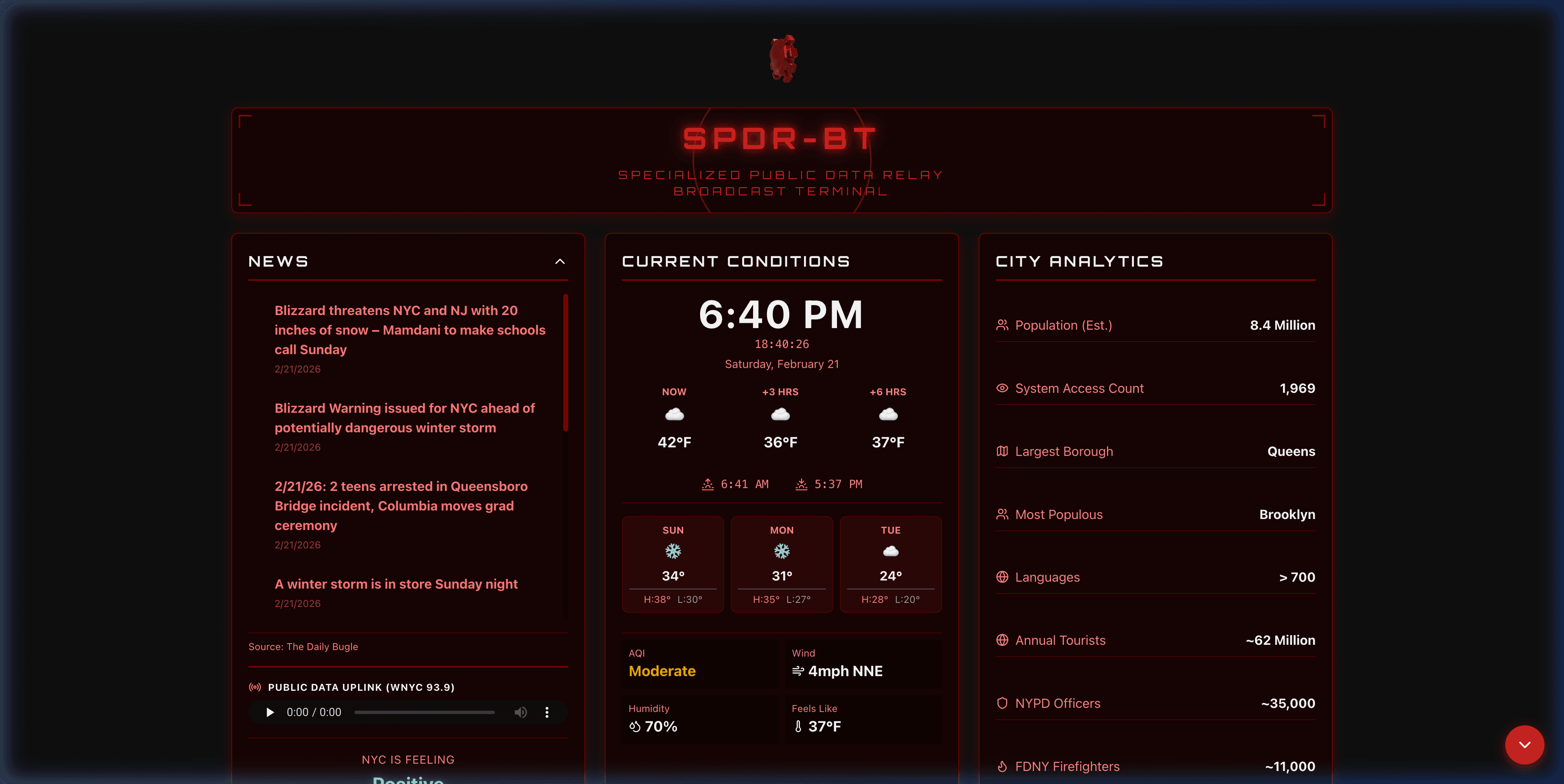
↑ Live embed - this is real data, right now. Scroll, click, explore.
Not a Dashboard - an Intelligence System
Every train, bus and commuter railroad in real time, with a trip planner across them. 979 DOT cameras. Every aircraft overhead, the next satellite pass, harbor traffic, rain radar, lightning, air quality, and a Near You panel for the corner you are standing on. Open source, free, no accounts, no tracking.
Real Use Cases, Real People
Check the Times Square cams before you pick a jacket. Pull arrivals when the station clock is broken again. Track your bus and decide whether to walk. Look up, wonder what that plane is, and get the airline, altitude and destination. Check the ferry, check the air before a run.
The Modules
Tap any panel to read moreFourteen built from raw feeds, one framing somebody else's embed. The air and sea panels started as embeds too, and an iframe cannot be queried or spoken to, which is why OTTO exists.
O.T.T.O. - Ask the City a Question
Every module above is a voice command. Ask what is overhead and the terminal answers out loud while the screen carries the detail.
The dashboard assumes you are sitting down. OTTO assumes you are on a corner with one hand free. An intent parser turns “what's overhead in Jackson Heights” into a place, a source and a view, and the answer comes back spoken.
The parser has no interface attached, so the same commands run on smart glasses, where the spoken half carries the whole answer.
Spoken Commands
- → “What's overhead” - live aircraft radar with route lines
- → “Where's the nearest train” - arrivals grouped by direction
- → “How busy is Times Square” - crowd read off a live DOT frame
- → “How's traffic in LIC” - per corridor, never a blended average
- → “Ferries near Wall Street” - hulls pointed along their course
- → “City pulse” - live chatter mapped as mention heat
spdrbt.com/otto


AR Mode - Data Over the Street
Say “track it” and the camera opens. Aircraft the radar already knows are drawn as reticles on their real bearing, so the plane you can see gets a label with its airline and route.
Five recognition models run on the phone and take turns frame by frame: objects, hands, faces, bodies, weapons. A weighted scheduler gives hands the most turns because fingers move fastest. No image leaves the device.
The weapon lane is the newest. The general object model has no firearm in its training set, so a second detector trained on pistols, rifles and knives runs beside it. A hit gets a red pulsing bracket, a THREAT chip and one alert tone.
Tap “feed” and the camera view goes dark while detection keeps running. A phone showing strangers reads as filming them. A dark screen tracing wireframes does not.
On Device
- → Geo reticles locked to compass bearing
- → Object detection on people, cars, buses
- → Hand, face and pose recognition
- → Weapon detection: pistol, rifle, knife, flagged red
- → 720p capture, tuned so the loop keeps up
- → Blackout toggle: detections on black, feed hidden
- → No cloud inference, no uploaded frames
Camera opens only on a tap
The same commands and perception stack run as a native Snap Spectacles Lens, radars drawn in glass. That build lives on the O.T.T.O. page.
Terminal Design Language
CRT Aesthetic
Scanlines over every module, glowing text, data-stream animations. A surveillance terminal, not a dashboard.
Typography
Orbitron for headings, Share Tech Mono for data. Typewriter on load, flicker on state change.
Color System
Red (#db231e) on black. Status colours for subway lines, AQI bands and the news vibe.
An Entire City's Data in Your Pocket
Magnets with QR codes grew into one of the fuller open-source NYC data terminals around: every train and bus, the commuter railroads, 979 cameras, flights, satellites, harbor traffic, radar and lightning, all at one URL and all by voice.
Because someone found a spider on a subway pole and tapped it.
The Mask Experience
Anyone Can Wear The Mask
Anyone Can Be Spider-Man.
The mask checks no credentials and asks for no login. You found the spider, you scanned the code, you wore the mask. That is why it is a randomizer: you do not pick your identity, it picks you. Miles Morales, Gwen Stacy, Pavitr Prabhakar, Spider-Punk, 2099.
“Anyone can wear the mask. You could wear the mask. If you didn't know that before, I hope you do now.”
Browser-Based AR
Scan the QR and the experience opens in the browser, no app and no account. MindAR tracks the face, Three.js renders the mask, and a tap spins the roulette through all 9 before it lands.
Beauty filter, haptics, photo on tap, video on long press up to 10 seconds, native share. English and Spanish, detected automatically.
Hand Tracking Easter Egg
MediaPipe hand detection runs beside the face tracking. Make the web-shooting gesture, index and pinky out, and particles fire from your hand. Nobody is told; people try it anyway.
AR Tech Stack
- → Three.js - 3D rendering engine for mask models
- → MindAR Face - Real-time face detection & tracking
- → MediaPipe Hands - Gesture recognition
- → MediaRecorder API - Video capture at 30fps
- → Web Share API - Native sharing on mobile
The Public Gallery

Broadcast Your Spider-Identity
After you mask up, one tap broadcasts the photo to the public gallery, stamped with the city and how long ago it landed. Strangers are already broadcasting from across the U.S. and as far as Costa Rica.
spdrbt.com/galleryHow It Works
- → Capture your masked photo in the AR experience
- → Tap Share to broadcast it to the public gallery
- → Auto-tagged with approximate location and timestamp
- → Appears instantly in a global, scrollable feed
- → Opt-in only - sharing is always the user's choice
Building the Masks - Tried Everything
Gen 1: Screenshots to 3D (2020)
I had no idea how to make a Spider-Man mask. The PS4 game had just shipped with a Photo Mode, so I screenshotted every suit, built a half-face mesh in Blender and projection-mapped the screenshots onto it. Rough, but SparkAR tracked a face and rendered them live on Instagram.
Gen 2: The Search for Better (2024+)
For the upgrade I tried PS5 Photo Mode at higher resolution, photogrammetry from screen recordings of masks rotating in-game, and generative 3D from reference images. Hand modeling in Blender won: clean topology, UVs and PBR materials. The photogrammetry still shaped the topology.
Photogrammetry from Screen Recording
Orbited the camera around masks in Spider-Man 2's Photo Mode and ran the recordings through photogrammetry. Detailed, but the baked-in game lighting meant they could not be relit for AR.
Methods Attempted
9 Spider-Verse Masks
Each mask is a .glb rendered live on the face, with occlusion models so it sits behind hair and glasses.
Three Platforms, Zero Dependencies
SparkAR
Shut DownThe original randomizer, limited to the Instagram camera. Millions of impressions before Meta closed the platform.
8th Wall
Shut DownWebAR rebuild with new models, half-mask views and capture. Then Niantic announced its shutdown.
Self-Hosted
ActiveThree.js, MindAR and MediaPipe on my own server. Same features, no platform to lose.
The Physical Network
3D Printed • Magnetic • NFC • Tracked
The Object
A small spider logo in metallic red PLA with a neodymium magnet in the back, a QR sticker and, since 2026, an NFC chip embedded mid-print. It holds on subway poles, lamp posts and bodega fridges.
Each generation changed one thing: a stronger magnet, a flat top that catches light in rings, a lip for a fingernail. The current units survive a New York winter and still scan.
One QR, One NFC
Every node carries the same QR code. A scan opens the mask and logs city, time and device class, never a GPS fix and never an identity. Enough to draw the map, 2,400+ finds across270+ cities so far, and not enough to follow any one object.
The NFC tap lands on its own address and links to the terminal, so taps are counted apart from scans. QR leads to the mask, NFC leads to the data.
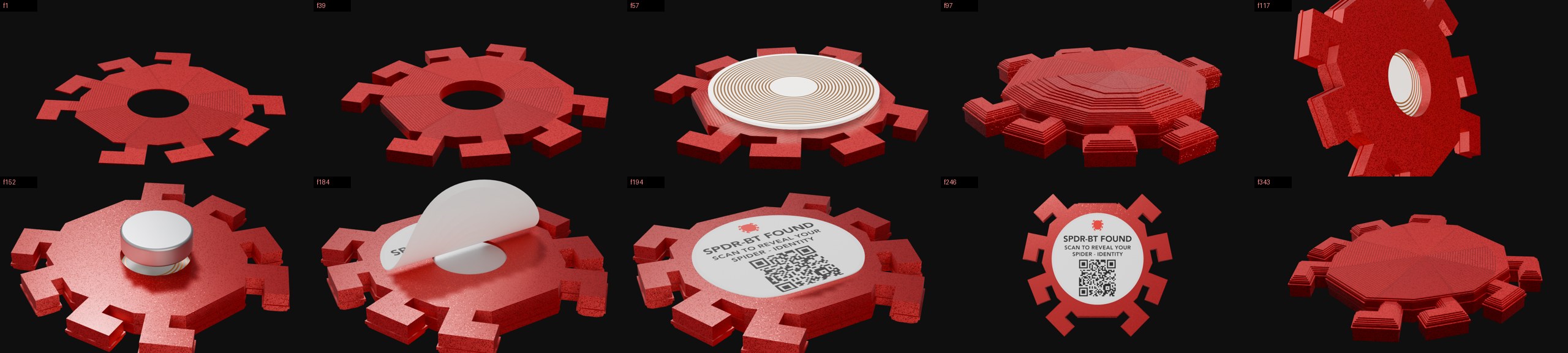
The Node, Assembled
Rendered from the print file, layer by layer
- 01PrintMetallic PLA, 0.2 mm layers. The top is laid in concentric rings, which is why it catches light like a wheel.
- 02TagThe printer pauses at tag height, the NFC chip drops in, the print closes over it.
- 03MagnetFlipped, and a neodymium disc pressed into the recess.
- 04StickerThe QR peels onto the flat side. One code, every node.
Built from the real STL, sliced at the printer's layer height, with a material matched to the glitter filament. Fifteen seconds, seamless, also playing on the terminal's own log.
Where They've Been Found

Most go out on daily commutes around NYC. Some were carried on purpose: Boston, Los Angeles, Mexico City, Costa Rica, Japan. Every node points at the same URL, so the map records where they were put down and how far the link travelled, across 19+ countries.
Evolution - 6 Years
The Filter
An Instagram filter built in SparkAR, "Which Spidey Are You?": a randomizer of Spider-Man masks on your face, projection-mapped from in-game photo mode captures.
The Print
Got a 3D printer. First nodes placed across the five boroughs: a spider logo, a magnet in the back, a QR sticker reading "Scan to uncover your Spider Identity."
The Second Generation
New masks. Photogrammetry and generative 3D both tested and rejected; the final nine, from 2099 to Symbiote, modeled by hand.
The Migration
SparkAR shut down. The mask moved to WebAR on 8th Wall: no app, any phone with a browser, photo and video capture. Then 8th Wall announced its own shutdown.
Self-Hosted, Then Spoken
The mask rebuilt as self-hosted WebAR on Three.js, MindAR and MediaPipe. NFC chips joined every node. The terminal went open source, the gallery opened, and O.T.T.O. came online as a voice, then as a camera.
The Network
Near You, regional rail, a trip planner, radar and lightning, live streams, ferry sailings, satellite passes. A system log with the node rendered layer by layer. O.T.T.O. learned to see a weapon.
“Anyone can wear the mask.”
Placed on commutes with no announcement, for whoever comes across them next. Finds have been logged from 270+ cities, most of them a single scan somewhere no node was ever placed. That part was never planned.