Flat label artwork in, localized 3D product renders out. One brief describes the package, the markets and the formats; the pipeline builds the 3D, lights it, frames every aspect ratio around the hero and files the results with a manifest. The package is always a real render of exact geometry wearing the real artwork. Generative models only make the room it stands in.
Built end to end: Blender running headless, a browser interface in steps or as a node graph, a 3D viewer where the label can be dragged into place, social loops with animated type, a grade panel over the photograph, and a hand-off folder with a manifest behind every file.
Meridian and OOMI are fictional brands made for this build. Every image below was rendered by the pipeline from flat label files, with no retouching.
One Label In, Every Aspect Ratio Out
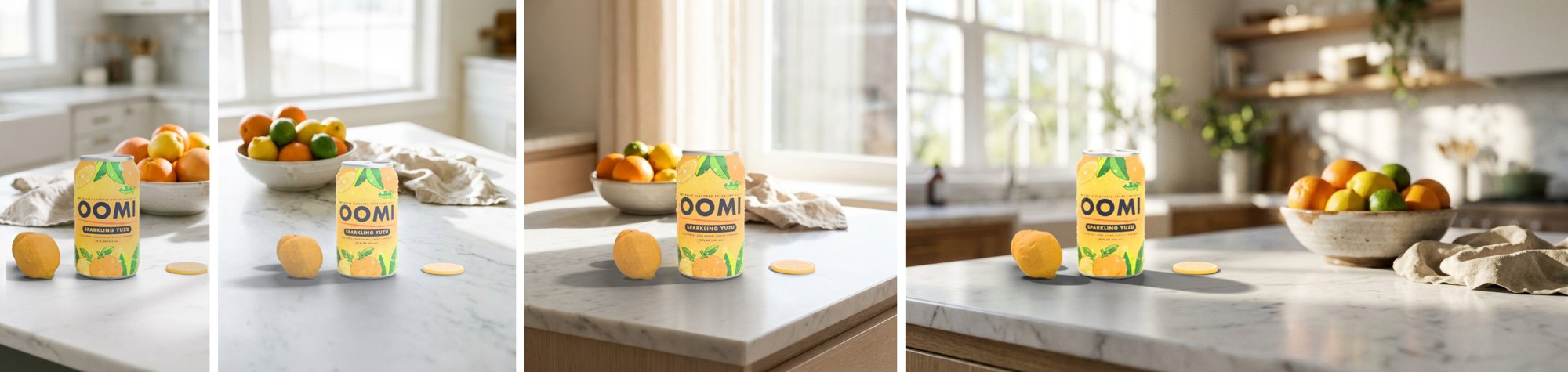
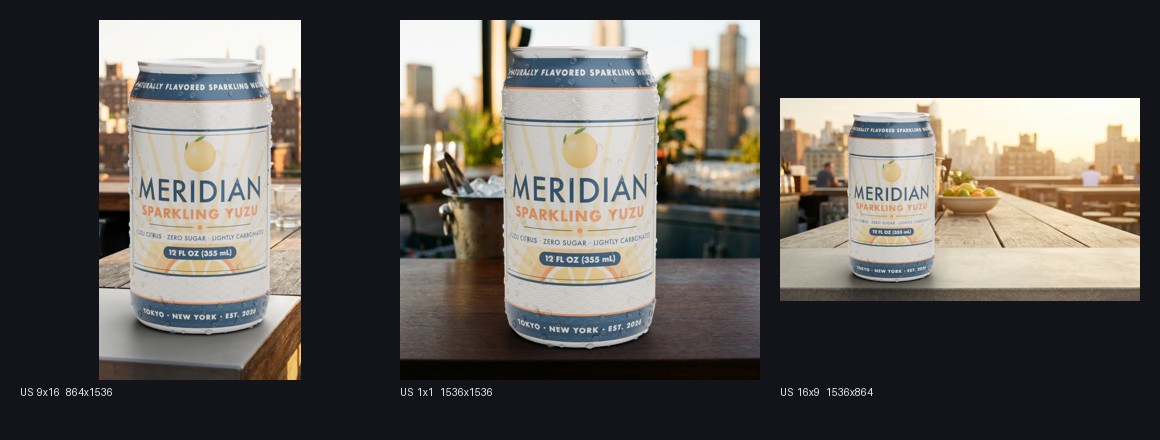
The brief names a package preset, a label file and the formats. The pipeline builds the geometry, wraps the artwork at its own proportions, and solves one camera per aspect ratio: a story, a portrait post, a square and a banner, each framed on the product from the same scene with its own plate at that ratio. Nothing is cropped after the fact. The framing box in the interface is the product itself, so what the team draws is what the camera fits. Condensation, materials and the light rig are authored presets a 3D lead owns, applied the same way to every run.
Sits in the Photograph
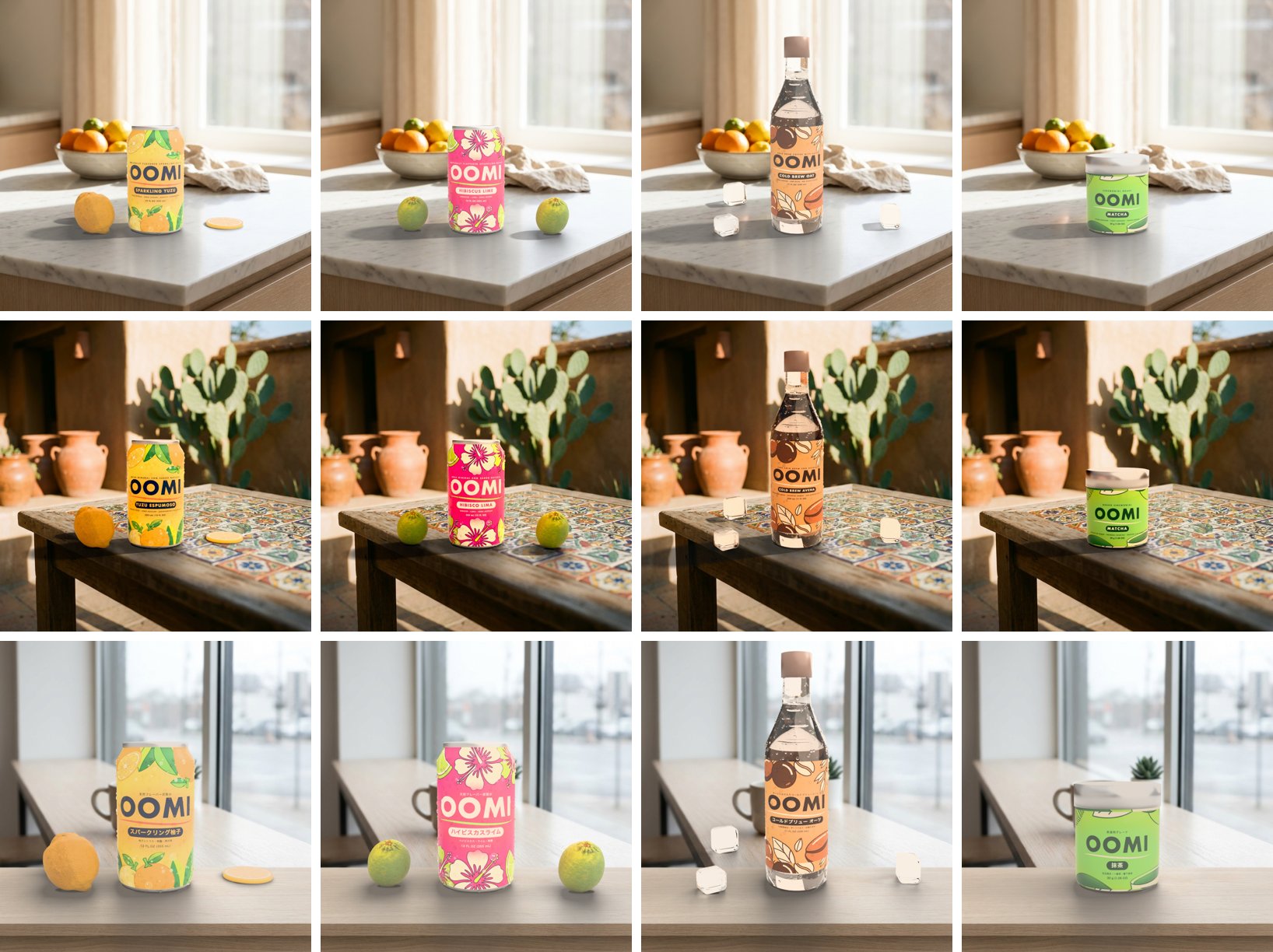
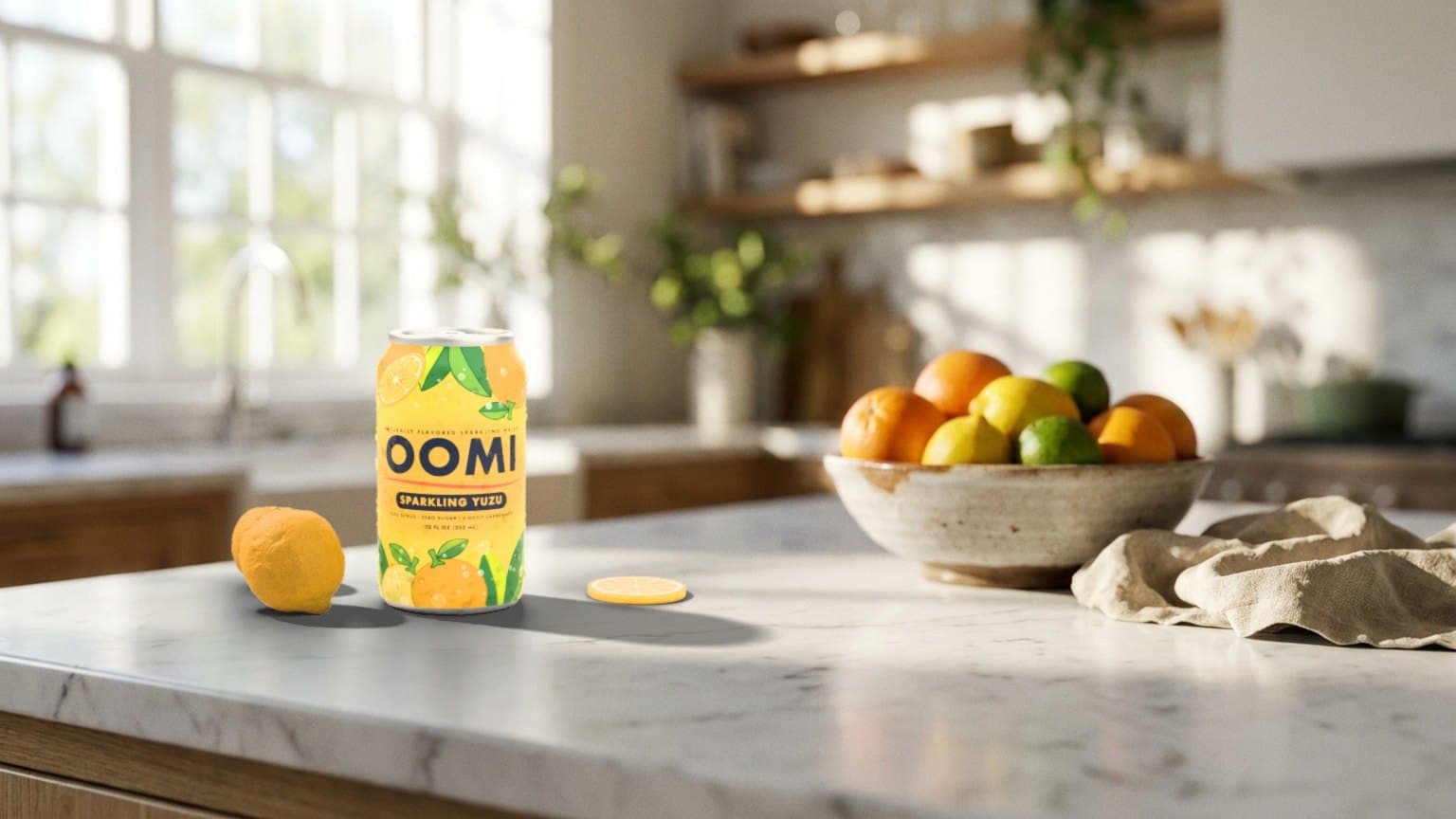
The second round added a second fictional line, OOMI, across three package families: two cans, a bottle and a tin. Each plate is read once for its light, its scale and its eye level. The render is then matched to the surface the package stands on: exposure held to the counter under it, so a yellow label sits a touch under white marble and over dark wood; the plate's colour cast carried into the highlights and its bounce into the shadows; the plate's grain on top; contact shadows laid from the geometry.
The can end and pull tab are modelled, not textured, and the camera sits just above the label so the lid never becomes the subject. Props drop onto the table with physics from a seed, never behind the product, and keep a matte peel next to the varnished can. Thirty-six stills across four products, three markets and three formats rendered in about ten minutes, and every one passed its geometry check.
Localized Without a Reshoot
A new market is two lines in the brief: an environment for the plate and a label for the package. The geometry, the lights and the camera solve do not change. Only the artwork and the room do.
How the translation works
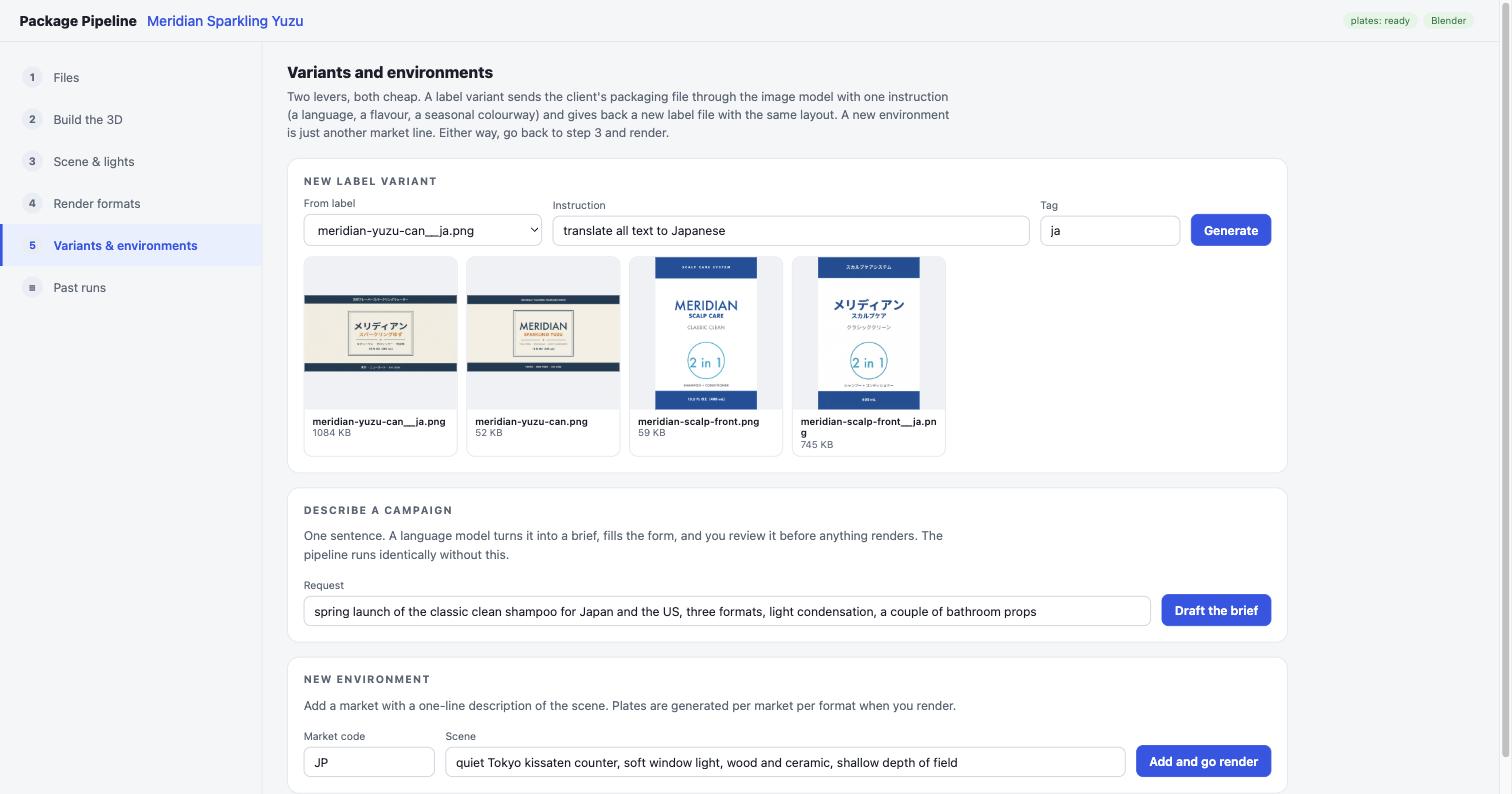
For a client's own artwork, the packaging file goes to an image model with one instruction, here "translate all text to Japanese". The prompt holds the layout, logo, colours, type style and every graphic fixed and asks for the flat label only, no mockup, no scene. The result is resized back to the source file's exact pixel size, so it maps onto the package through the same UV band and the same placement numbers as the original. A human checks it before it goes on the can.
The Meridian labels shown here take the second route. One template draws the wrap from a copy sheet per language, so the Japanese version is the same layout with its own text, its own typeface and a smaller wordmark to fit. A copy change or a new language is a script run. Either route ends at the same file the renderer expects.
- One instruction, or one copy sheet, per language
- Returned at the source's exact size, same placement
- One line of environment per market, plates cached
- The product never goes through a model
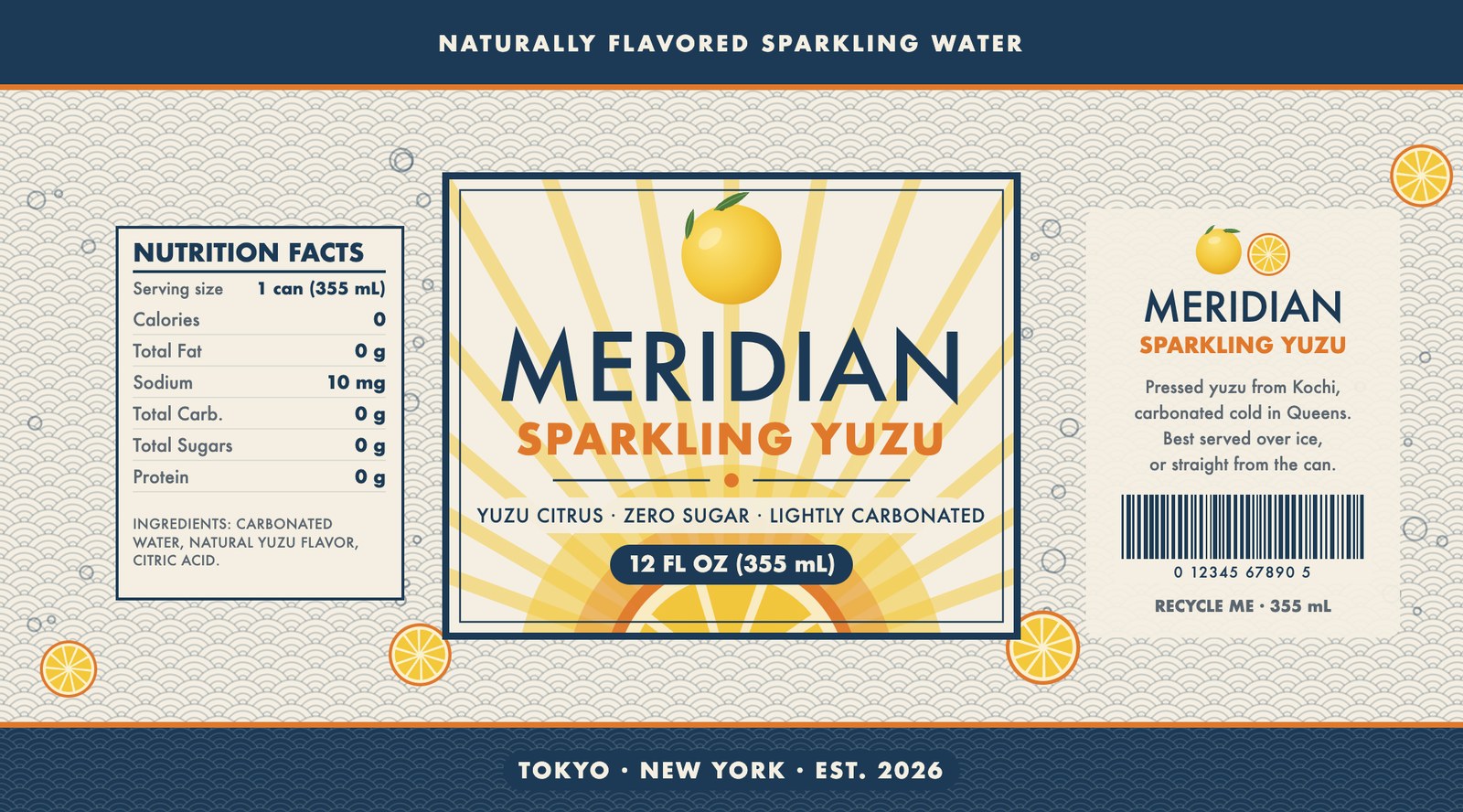
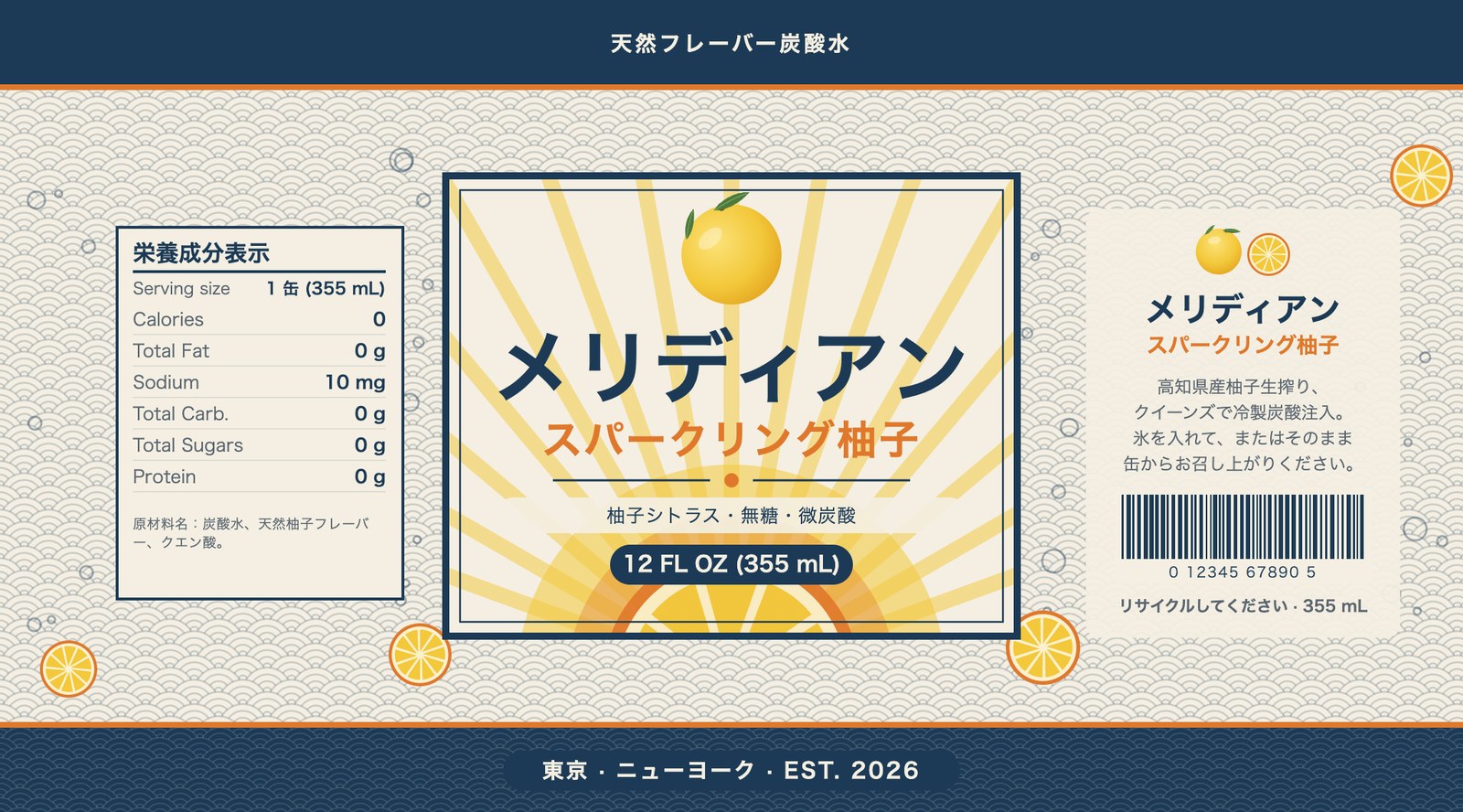
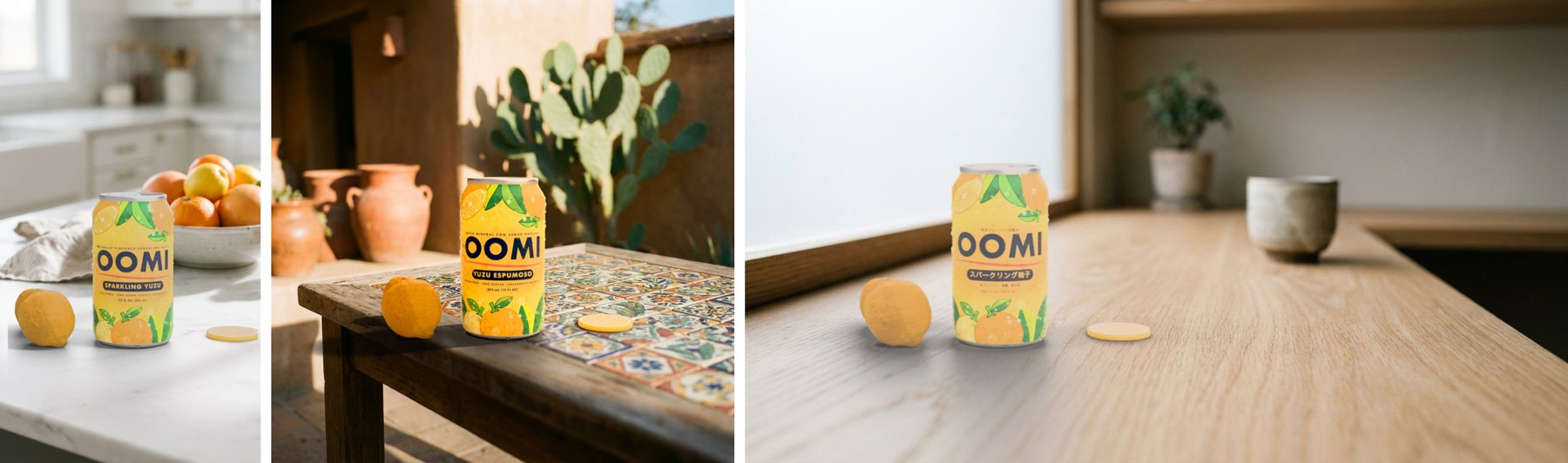
One brief, three markets, three aspect ratios: the English label on a kitchen island, the Spanish label on a courtyard table, the Japanese label on a cafe counter. Each market's label was re-set in its language by the copy route above and approved before it went on the can.
The Interface: Steps or Nodes
The team never opens Blender. A local browser page walks the job in four steps, writes the brief, and hands it to the renderer. Every past run stays on the page with its gallery, timings, contact sheet and the scene file a 3D artist can open. The same brief also opens as a node graph for the people who think in nodes.
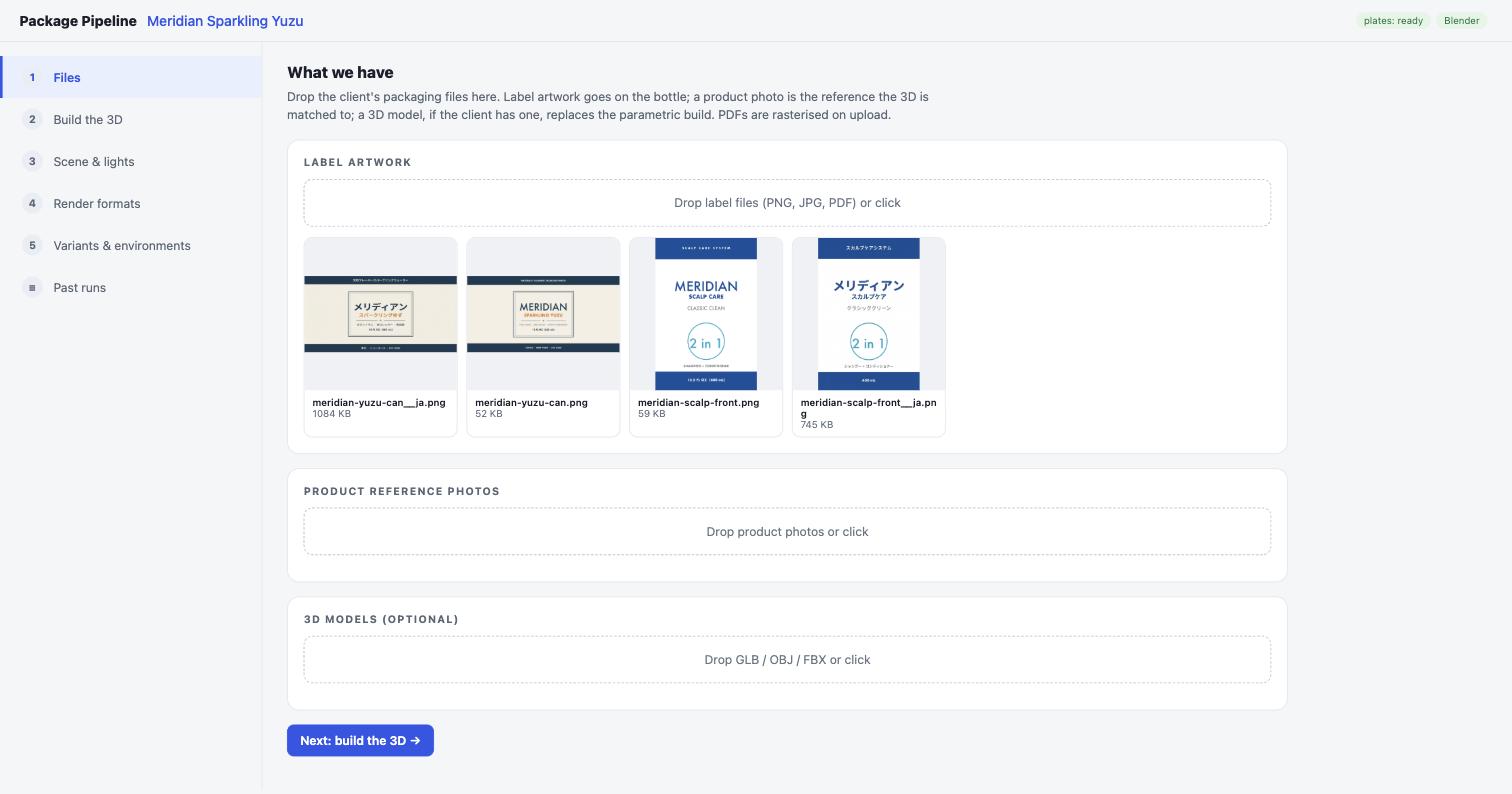
Files
Drop label artwork, product photos and an optional client 3D model. PDFs are rasterised on the way in.
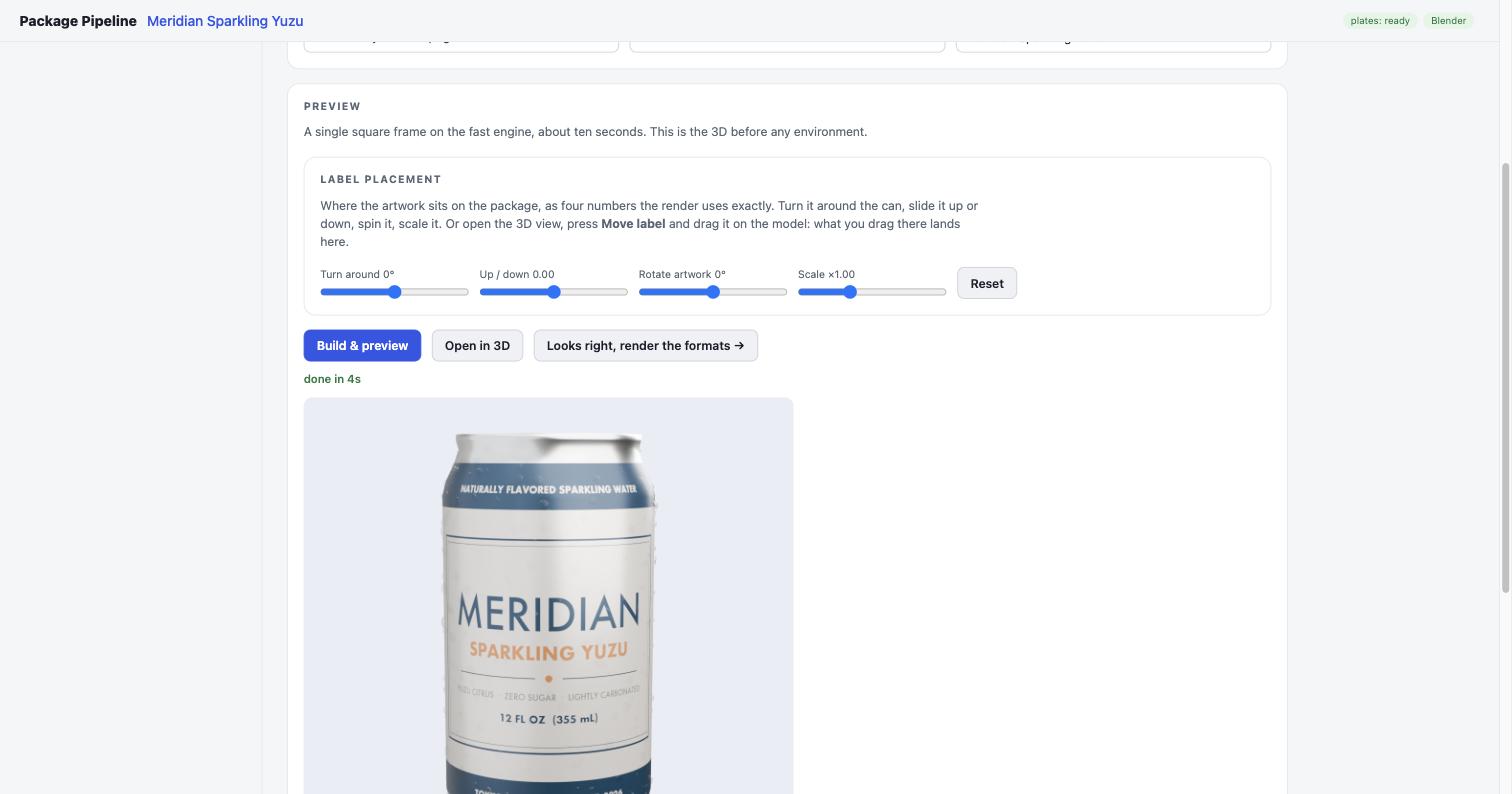
Build the 3D
Pick the shape, the front and back artwork, the colours. Place the label with four sliders. A preview on the fast engine in about four seconds.
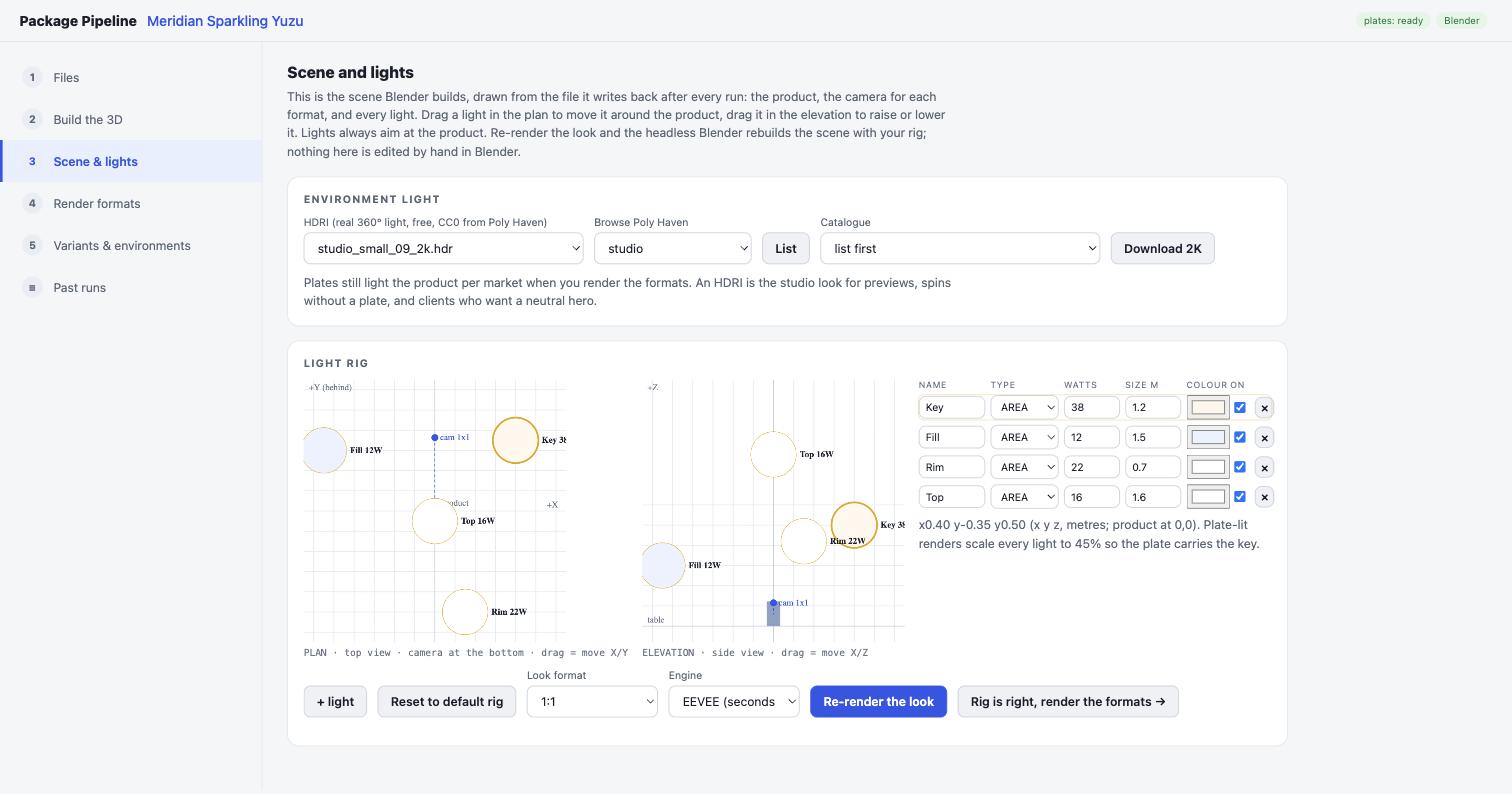
Scene and Lights
The rig as data: drag a light in the plan or the elevation, pick a studio HDRI, re-render the look. Nothing is edited by hand in Blender.
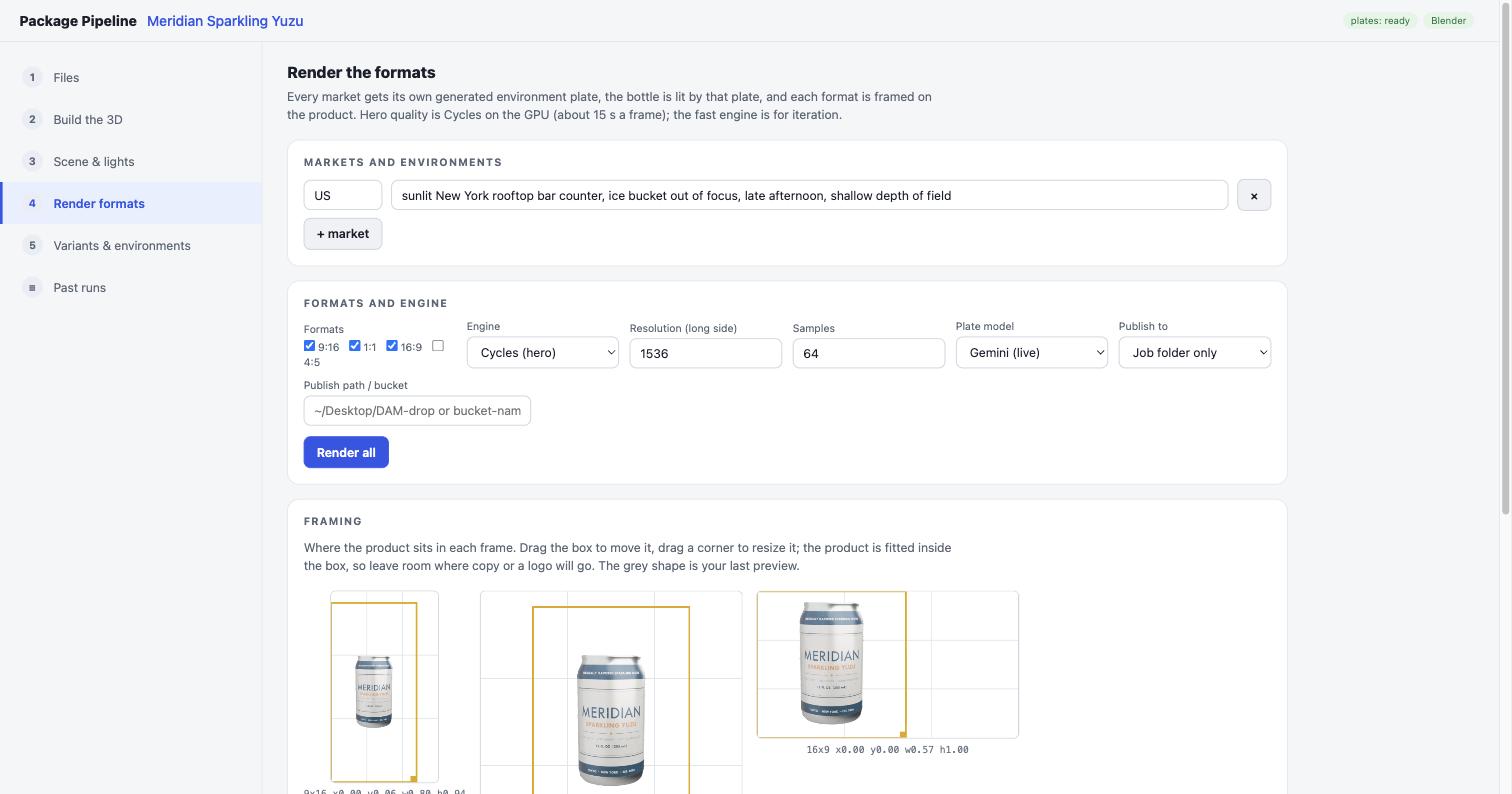
Render the Formats
Markets with a one-line environment each, the formats, the engine, and where the product sits in every frame. Every asset lands in a gallery with its timing.
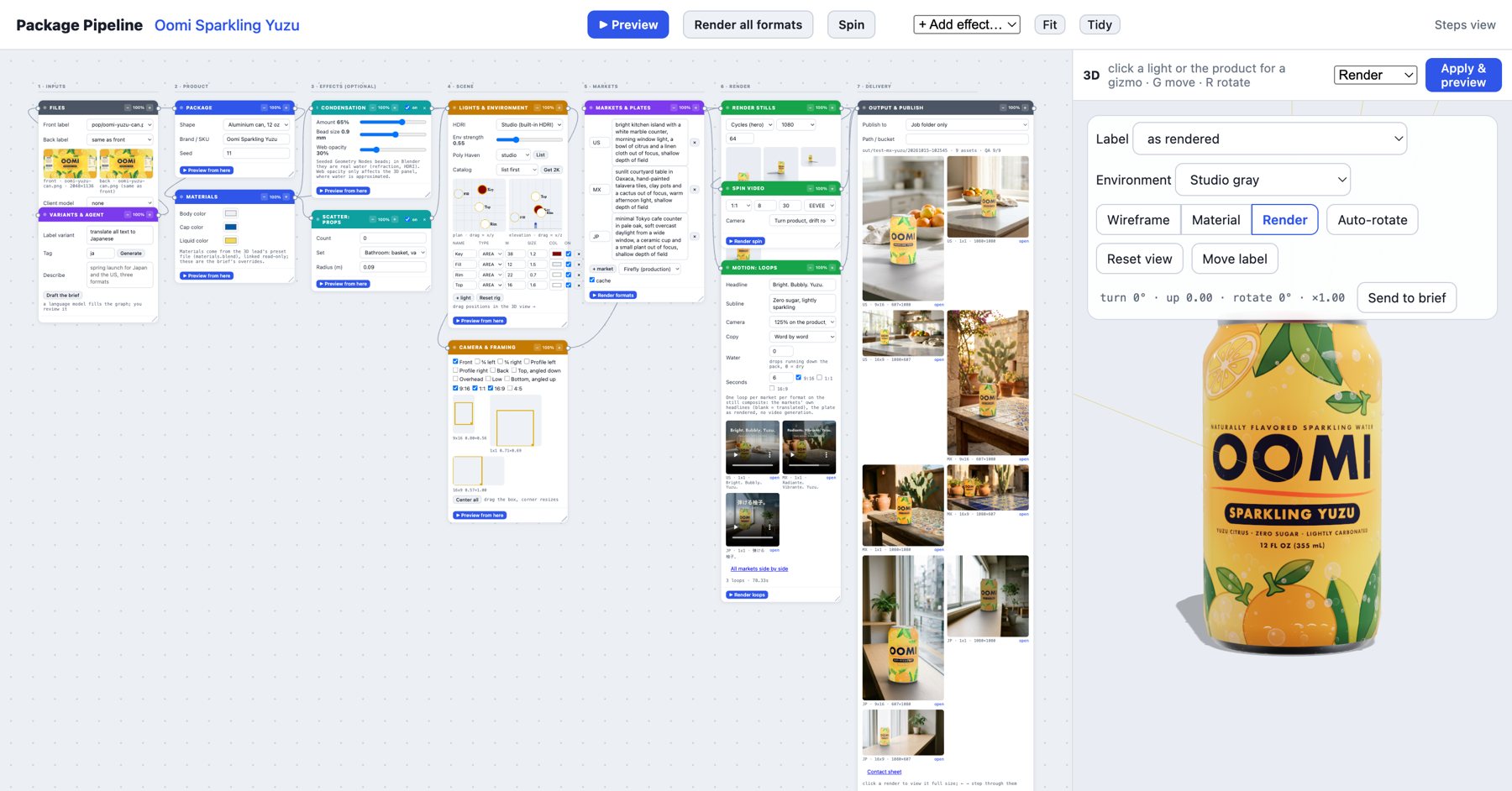
The Same Brief as a Node Graph
Motion and 3D teams already think in node graphs, so the pipeline has a second face built for them. Seven columns run left to right: inputs, product, effects, scene, markets, render, delivery. Each node edits its own slice of the brief, and a change marks everything downstream as stale, so a new label colour re-runs the render nodes and nothing before them. Preview from any node; stills, the spin and the social loops each render from their own node, and the Output node lists every final render and loop with a viewer that steps through them.
The 3D panel beside the graph is live. Click a light for a gizmo and move it, turn the product on its base, drag the label, and the numbers land back in the brief before Blender ever runs. Both pages write the same file, so a marketer on the steps page and a 3D lead on the graph are editing one job.
Post-Render Editing, Live on the Plate
The automatic match gets the render into the photograph. The grade panel is the retoucher's hand on top, and every move you see below re-composites from the saved render in about a second, with no Blender. Both clips are screen recordings of the panel on a finished run.
Colour and light
White balance cool to warm, exposure in stops, tint, saturation, contrast and the weight of the product's shadow, each on the product layer only. The plate never changes.
The layers
Zoom and pan the plate, resize the product about its base, nudge it left, right, up or down. Plate and product stay separate layers until the file is written.
A correction can apply to one asset, to a whole market or to the run, and saving it to the brief means the next render of that product arrives already corrected. One click writes a layered PSD with the plate, the product and the shadow on their own layers, for anything the panel does not cover.
Every round ends in a hand-off folder: the stills by market and format, the loops, a contact sheet per product, the labels, and beside them the manifests and reports that made each file, with an index that names the plate, the pixels, the QA result and the job behind every delivered file.
Place the Label by Hand
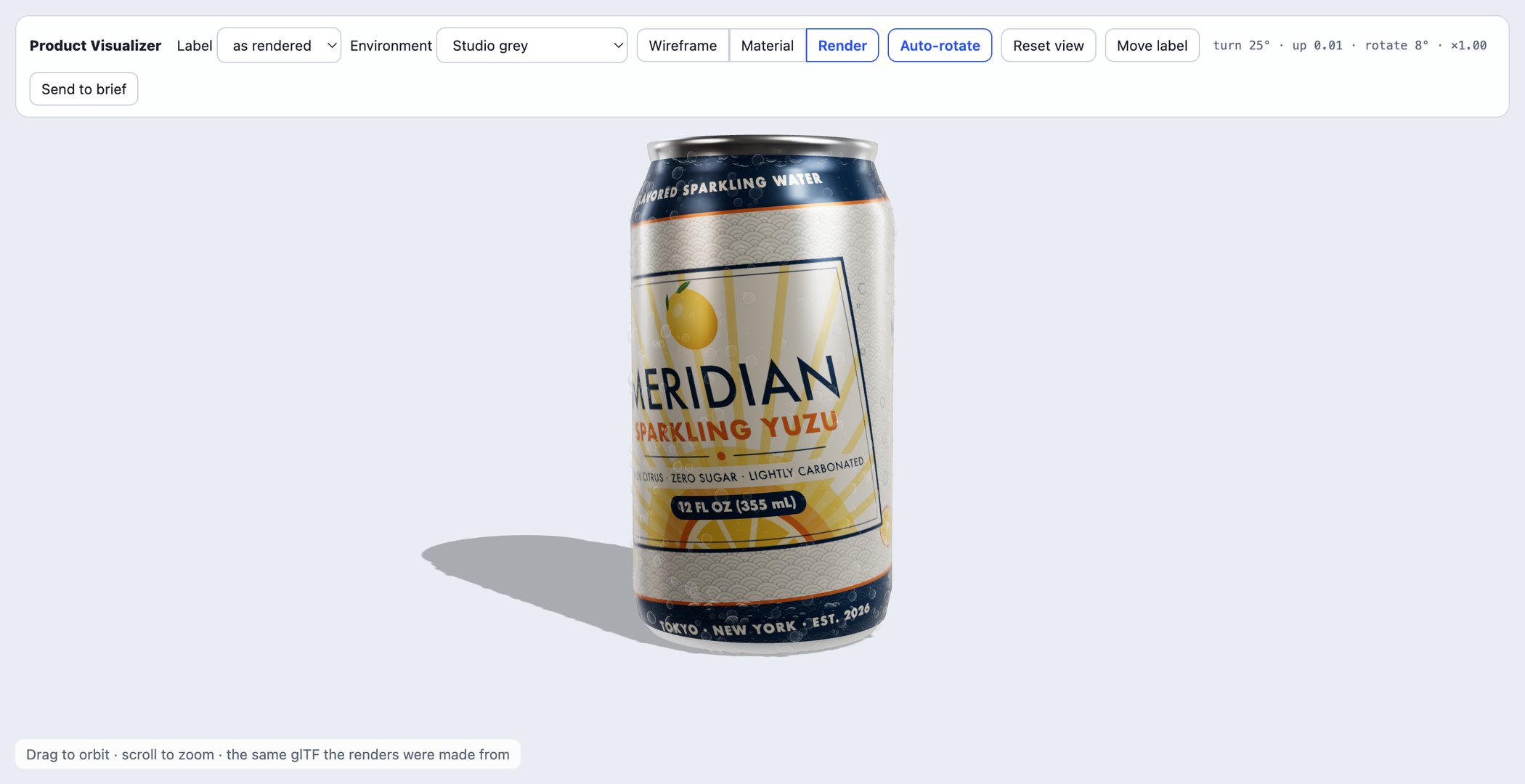
Drag It in the Browser, the Render Matches
The creative director's fear with any automated render is losing the fine control: where the label sits, how it turns. So the label is a thing you grab. Drag to turn it around the package and slide it up or down, hold shift to rotate, scroll to scale. The placement is four numbers, and the renderer applies exactly those numbers, so what was dragged in the viewer is what comes out of Cycles.
- Same glTF the renders are made from
- Sliders on the page, drag in the viewer
- Any PNG or JPG becomes the label
- Viewer and renderer agree to the pixel
Motion From the Same Scene
Two kinds of motion, both from the scene the stills came from, both filed beside them with the same manifest entry. Nothing here is generated video: the product is the render, the plate is the approved still, and the camera is ours.
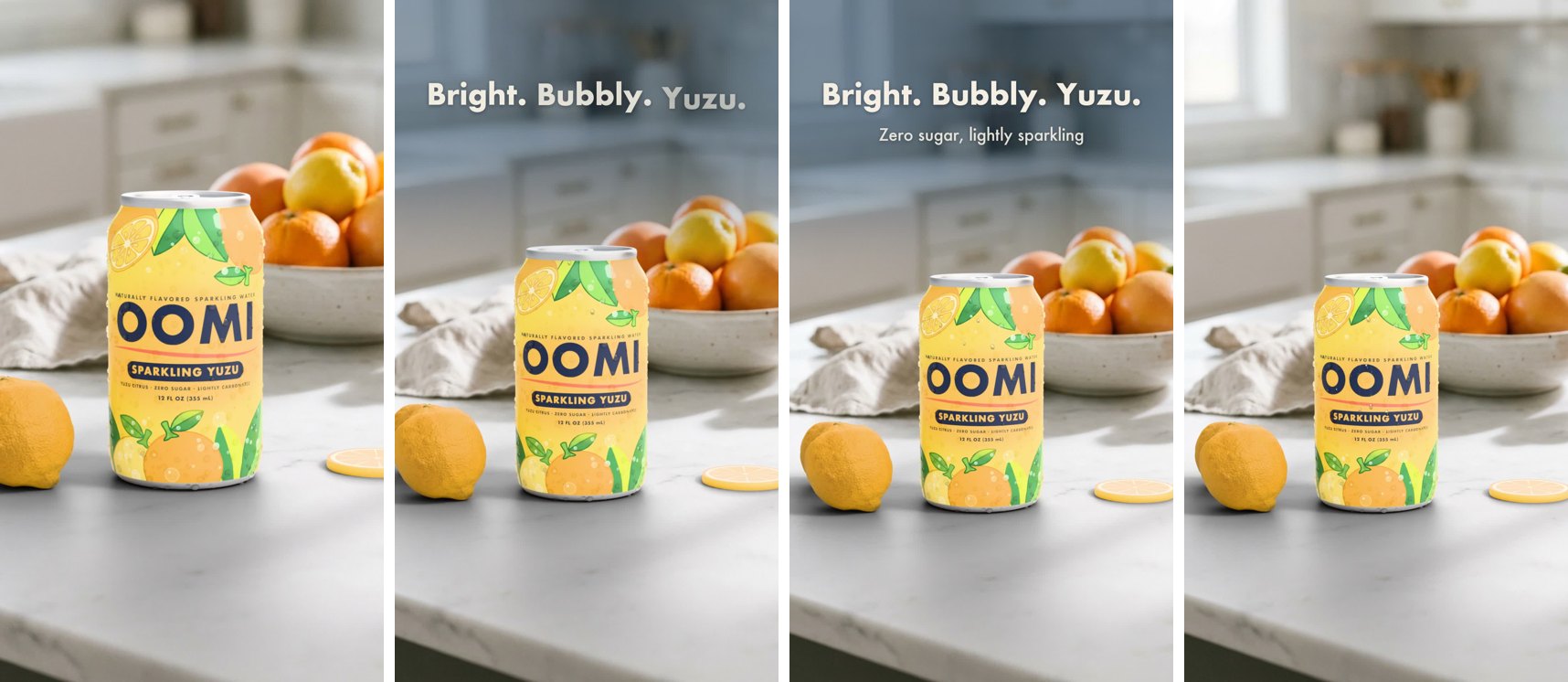
Social Loops With Type
A six-second loop per market and format from the still composite. The frame opens at 125 percent on the product and eases out to 100 percent over two seconds while the headline arrives, then holds; the product never moves on the table. The headline comes from the label's language, set per market, on a beat: the line at 0.4 seconds, the subline at one second, everything out before the loop closes.
The type moves four ways: word by word with a small overshoot, letter by letter, tracking in from wide, or a soft wipe from the reading side, which is also how right-to-left scripts come in, shaped as a whole line. A water pass runs drops down the pack, each one a small lens over the print with a wet streak and beads behind it, slow enough to read as condensation. Copy, camera move, water and formats are settings on the loop card and on the graph's loops node.
- 125 to 100 percent on the product, then hold
- Headline per market, in its language
- Four type moves, right-to-left scripts included
- About a minute per loop from existing renders
The Spin
An eight-second turn of the product with a slow camera drift through the plate, rendered on the fast engine in minutes and encoded straight to a square social clip. The product turns on its base under the fixed light rig, so the look the 3D lead lit survives the whole turn, and the clip lands in the same output folder as the stills.
Second Product, Same Pipeline
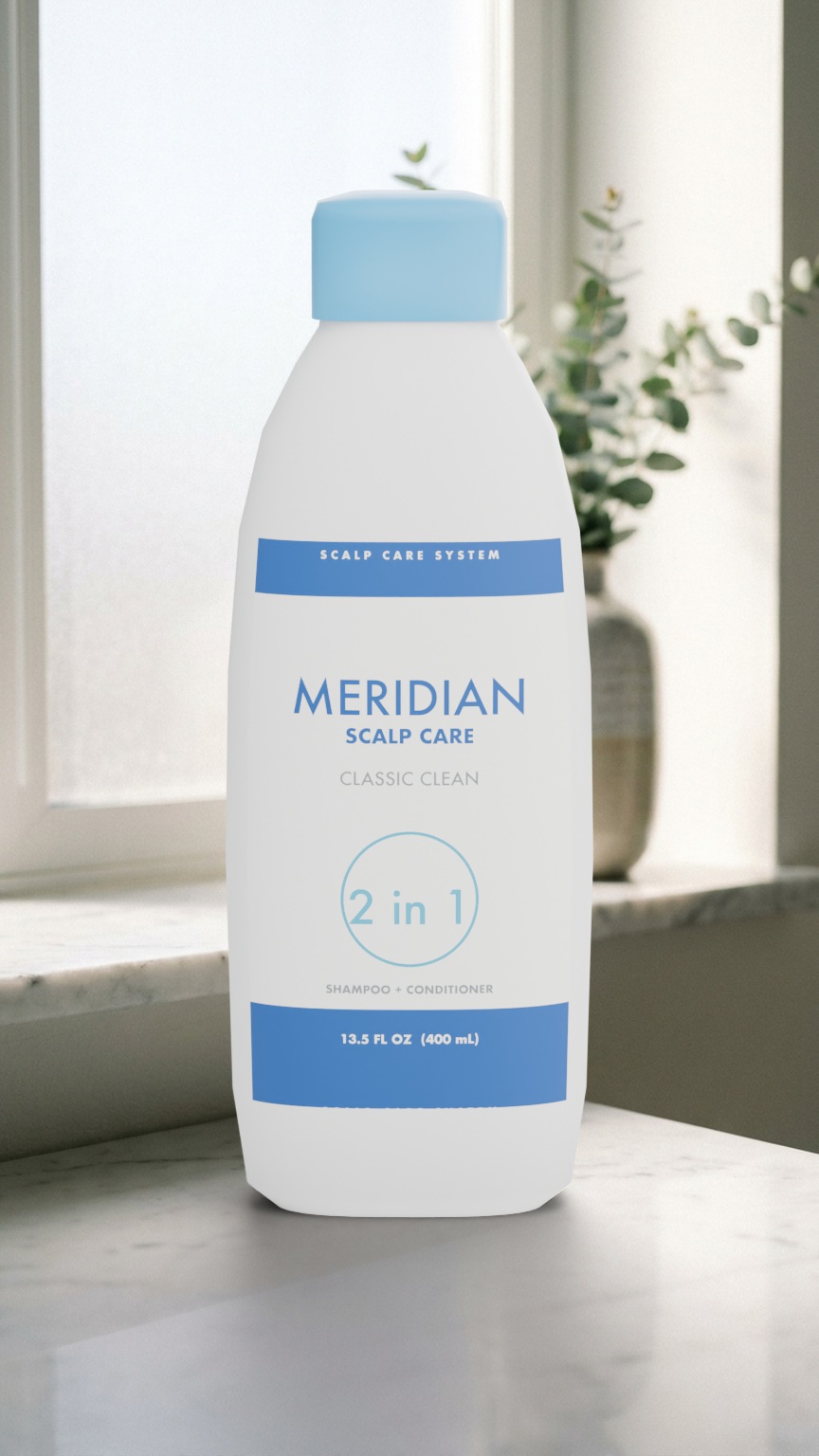
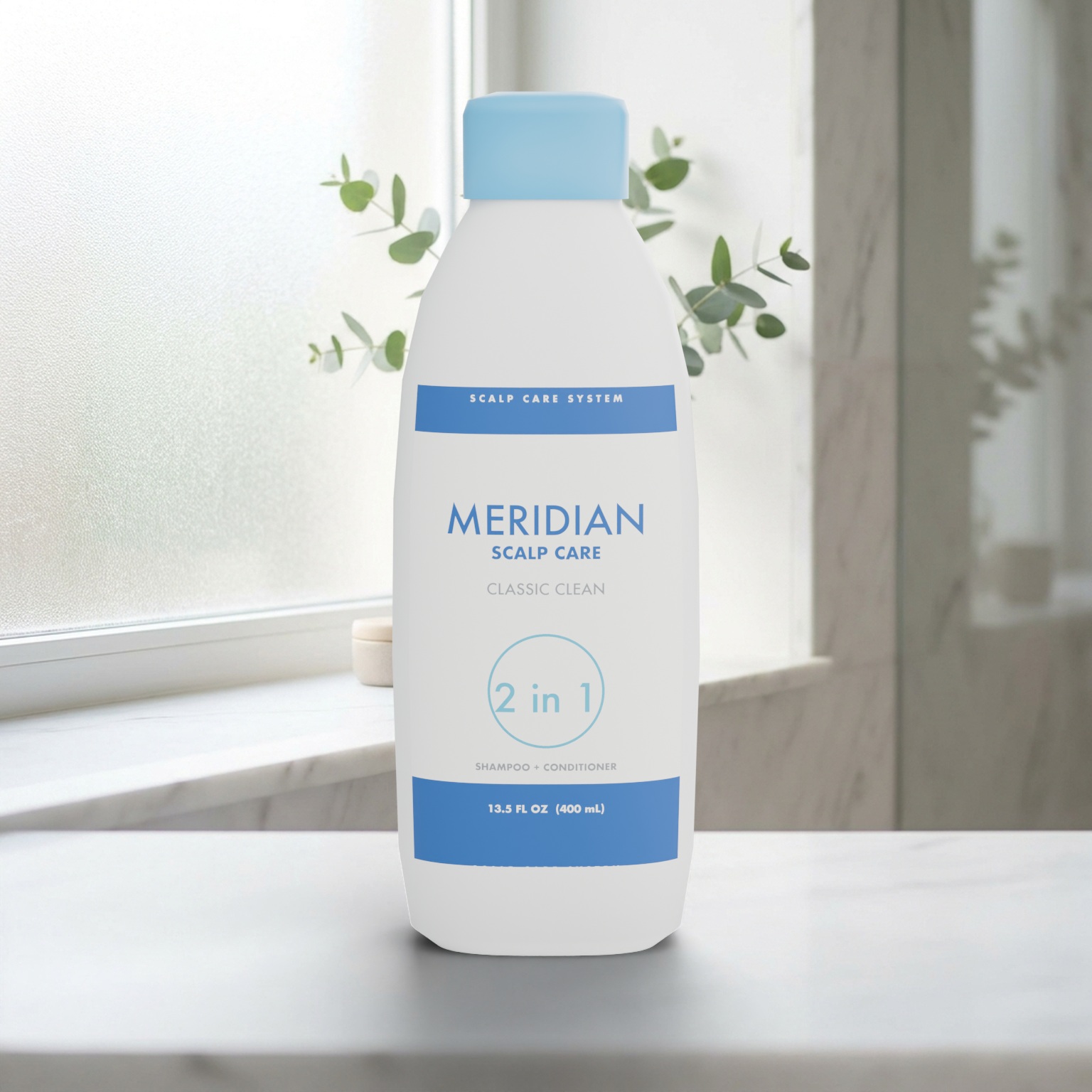

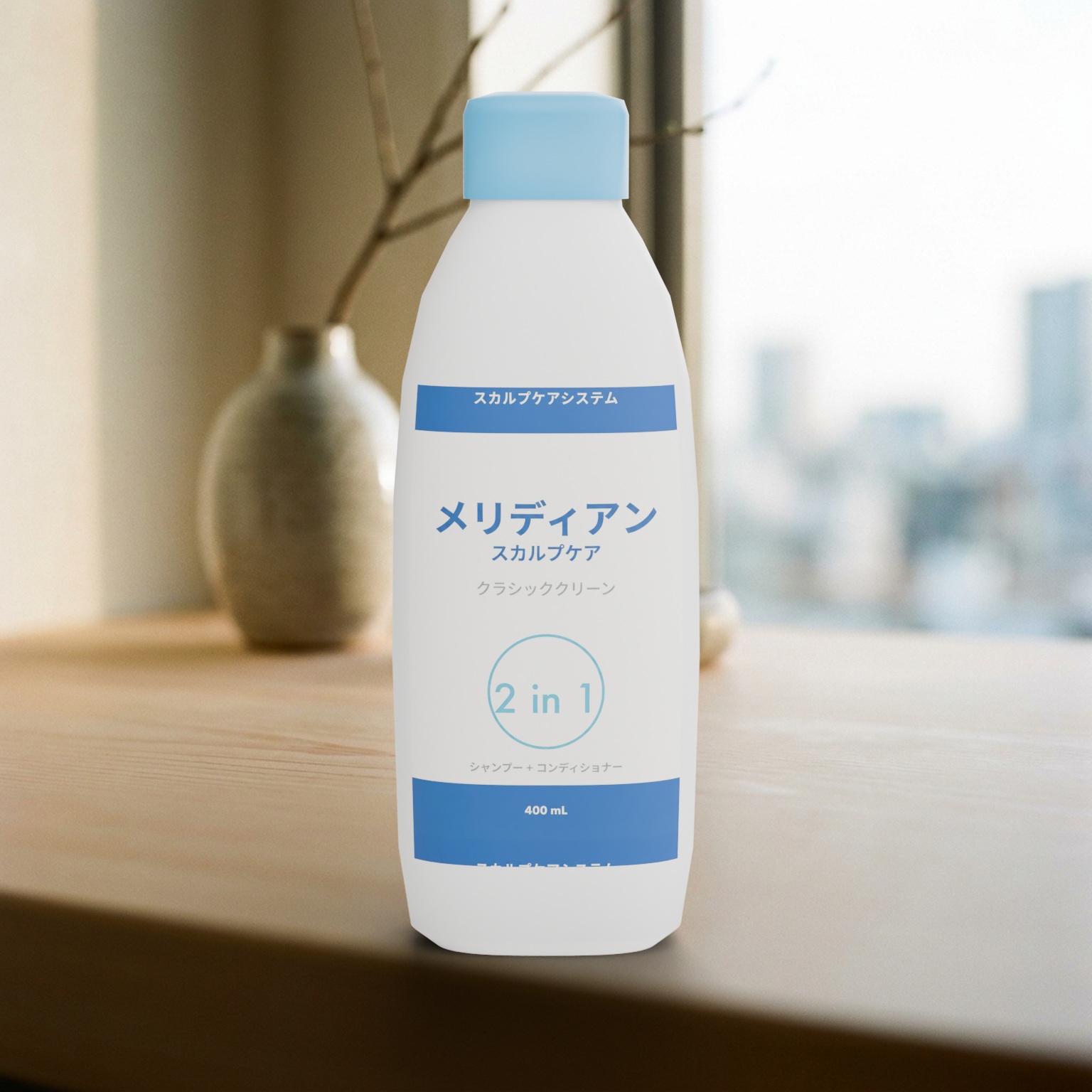
A shampoo bottle is not a body of revolution, so the package builder also lofts flat-oval forms with front and back panel labels that sit at the artwork's own proportions. A client's own mesh works the same way: any model with a material slot named Label takes the artwork. Nothing else in the run changes.
Ten Angles From One Brief
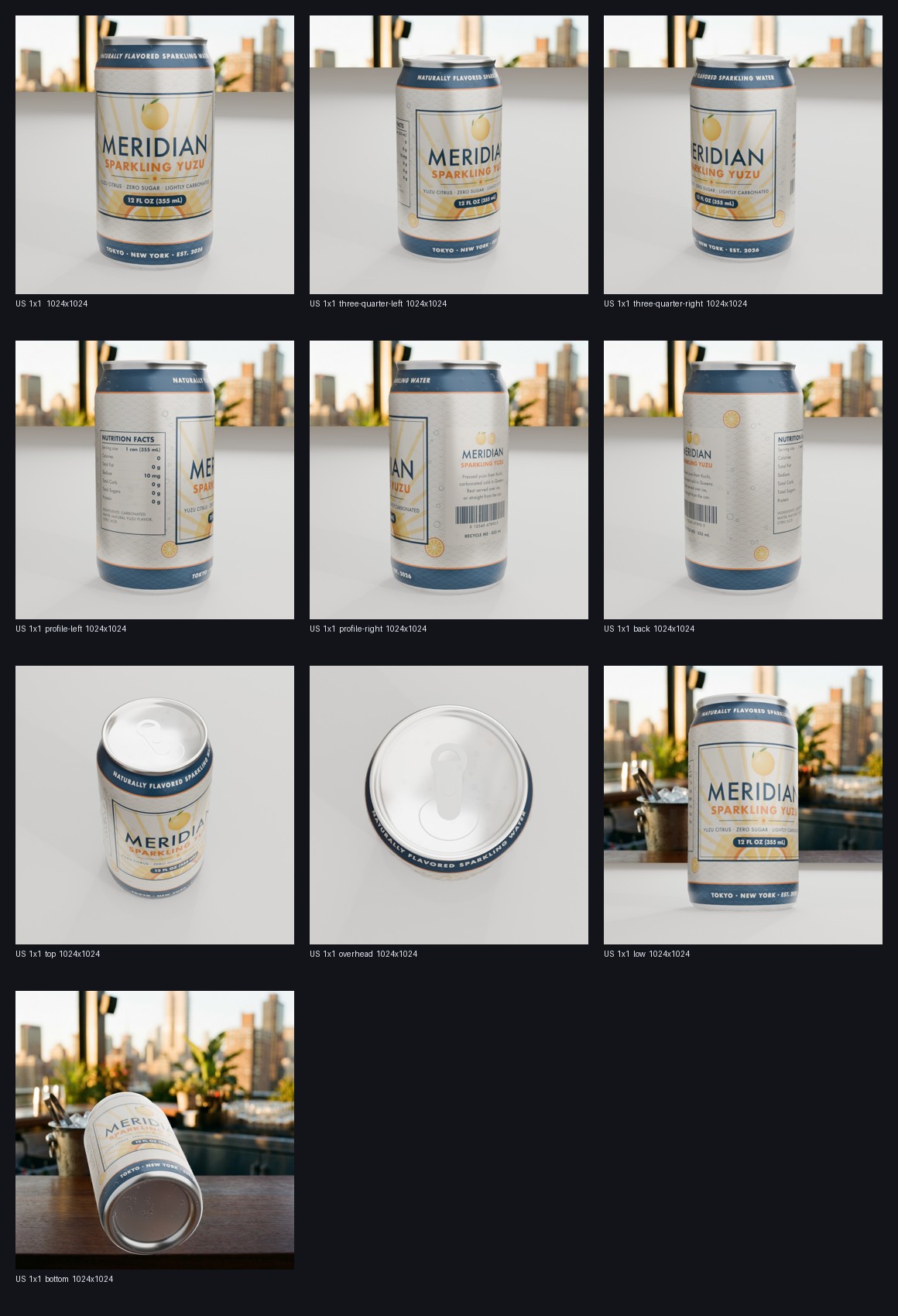
Each view is a name in the brief: front, three-quarter left and right, profile left and right, back, top, overhead, low, bottom. The product turns on its base under the fixed light rig, as on a turntable, and only the camera's height changes, so the look the 3D lead lit survives every angle. Every frame is checked against its framing box before it is filed.
- Angles multiply markets and formats
- Angled views re-fit the foreshortened shape
- The bottom view floats, no ground to clip
- Filed as sku_view.jpg beside the hero
What Stays Exact, What Gets Generated
Exact, every time
- The package geometry and size, from a preset or the client's own mesh
- The label artwork and where it sits, as four numbers
- Materials, lights and the camera per format, from authored presets
- The output structure and the manifest behind every file
Generated, then reviewed
- The background plate behind the product, one per market and format, cached
- Label variants for new markets, checked before they go on the package
- Props for the scene, generated once and kept in a library
- The plate vendor is a setting, so a production stack swaps in without a rewrite
The Models Behind It
Every generative call sits behind an adapter with a name in the brief, so a vendor is a setting, not a rewrite. The renderer is not a model at all: the product is always Blender drawing exact geometry.
Gemini 3 Pro Image
One plate per market and format, asked for at the format's own aspect ratio and cached by prompt. A 21:9 plate at 4K for the spin, so the camera has room to drift. The same model edits a label file with one instruction for a new market.
Gemini 2.5 Flash
"Spring launch for Japan" becomes a complete brief in JSON mode in about five seconds, then lands in the form for review. The same model re-sets a label's copy layer in a new language under packaging rules, with a typeface per script, for a person to approve. It also reads each plate once for its light, scale and eye level.
Firefly Services, Substance 3D, Photoshop API
Plates and expansions through Firefly Services, a cloud render through Substance 3D, PSD delivery through the Photoshop API, auto-tone through Lightroom and keywords from Content Tagging, each behind the same adapter shape as the first plate vendor. Without a credential each one reports unavailable and the local path runs instead. FLUX on fal is the third plate vendor.
Blender Cycles and EEVEE
Cycles on Metal for the hero frames, EEVEE for four-second previews and the spin. Materials, condensation beads and the light rig are authored presets in a Blender file the 3D lead owns.
Poly Haven
Studio environments for previews and viewer, and a library of real-world props normalised to true size. No key, no licence question, nothing generated in the scatter.
Tripo, Rodin
Image-to-3D for a garnish or a prop nobody has, generated once, retopologised and kept in the library. Never the hero package: the label needs exact artwork on exact geometry.
Under the Hood
A Python orchestrator reads the brief, makes or fetches the plates, launches Blender headless with a job file, composites the transparent product renders over the plates and writes the folder. Every run keeps its contact sheet, its manifest, the untouched scene file and the glTF the web viewer shows. Batch mode runs a SKU list across markets in parallel and rolls the manifests up.
- Blender 5, Cycles on Metal, EEVEE for previews
- Python host, Blender's own Python inside
- three.js viewer on the exported glTF
- Runs from one folder on any Mac